






From Match to Meet
in 3 Simple Steps
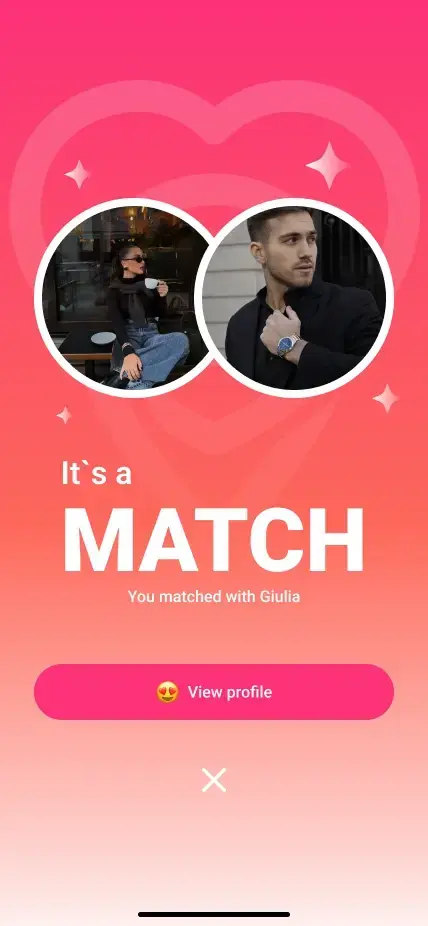
Match
A mutual like makes a Match.It starts with both of you.
Map
Share when you’re ready.Only your Matches can see it.
Meet
Follow the route to your match.Make a real-life connection.

Inside the app
A Closer Look at Come to Me.
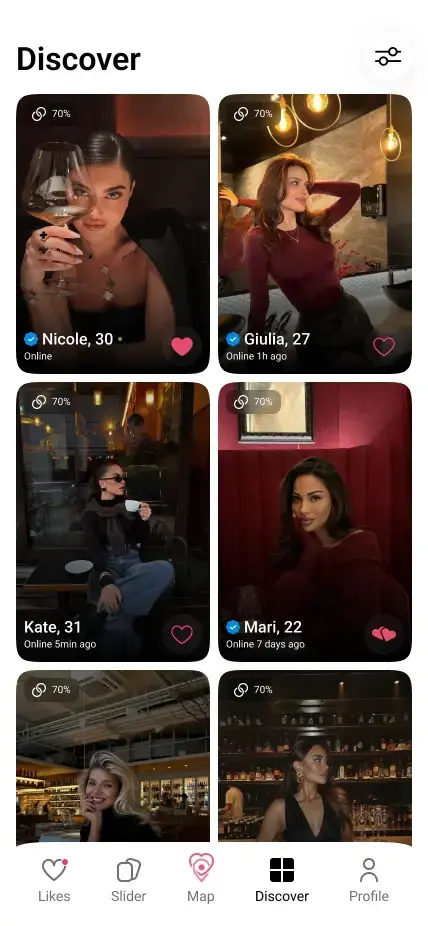
Discover. Match. Find your way.
Find someone who catches your eye.
Explore profiles and discover people you’d like to meet.

A new way to meet is on its way
The App IsComing Soon!
See Come to Me in Action.
A quick look at the idea behind real-life connection.


Your Location.Your Rules.
A mutual match comes first.
You decide what to share and when.
Verification first
Planned for every profile before matching.
Only your Matches
Your location isn’t public to everyone nearby.
Off by default
You turn sharing on. You choose when it ends.
Your choice, anytime
Switch off, set a timer, unmatch, or block.
A connection. On your terms.
Your location is always your choice.
Quick Answers
Everything you need to know before you match and meet.
Is Come to Me available yet?
Not yet. We’re developing the beta for iOS and Android. The screens shown here are design previews; features may evolve before launch.
When is my location visible?
Location sharing is off by default. You switch it on yourself, and only your mutual Matches can see it—not everyone nearby.
How do directions work?
Open a match on the map when they’re sharing their location. The app is designed to show a route, distance, and estimated travel time without leaving the app.
Is there a chat in the app?
No. Come to Me is built around discovering people, mutual matches, and real-life meetings—not in-app messaging.
How do I stay in control?
Turn sharing off whenever you want, or set an automatic stop timer. Unmatching or blocking also ends location access for that person.
Who can use Come to Me?
Come to Me is for adults aged 18 and over. The beta is planned to require profile verification before people can like profiles or appear in recommendations.